Designed for Apple platforms

Simple URL manager with folders, tags, and iCloud sync.

Simple app to help you save, organize, and open bookmarks faster across Apple devices. Organize with folders, nested folders, tags, hashtags and pins. Free to download and use, paid pro features unlock nested folders, hashtags and pins

Screenshots

In the app

iPhone

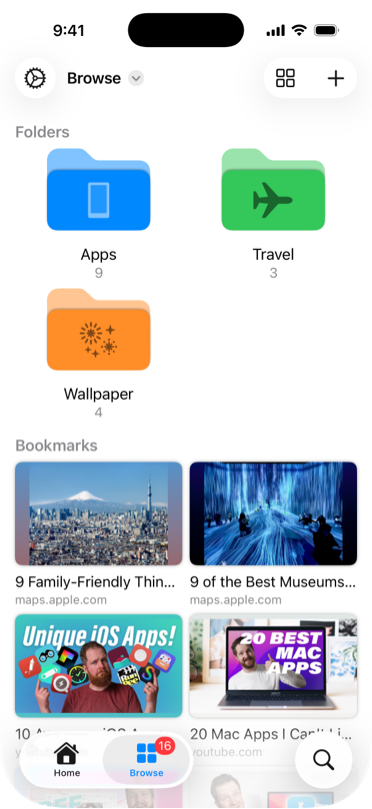
Three folders, App, Travel, and Wallpaper. Below are multiple bookmarks.
Bookmark and easily manage links
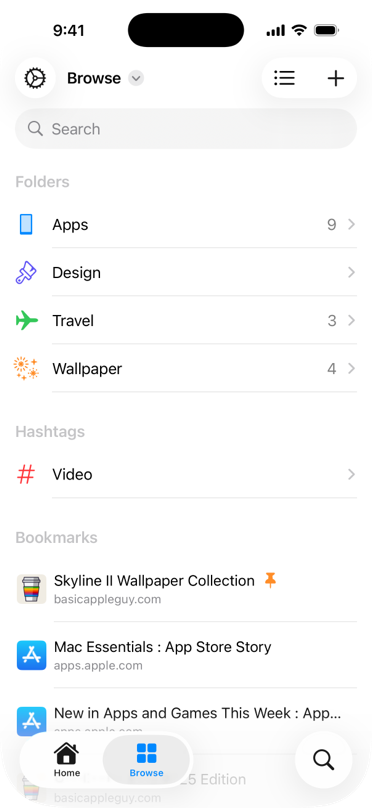
Folders, hashtags and bookmarks, shown in a list. One bookmark at the top has a pin icon at the end of its title.
Organize with folders, tags, hashtags, and pins
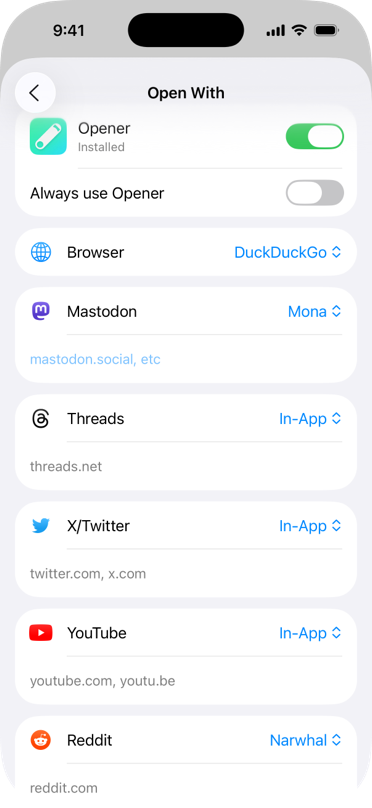
List consisting of browsers, Mastodon, Threads, X/Twitter, YouTube and Reddit.
Open With your app of choice
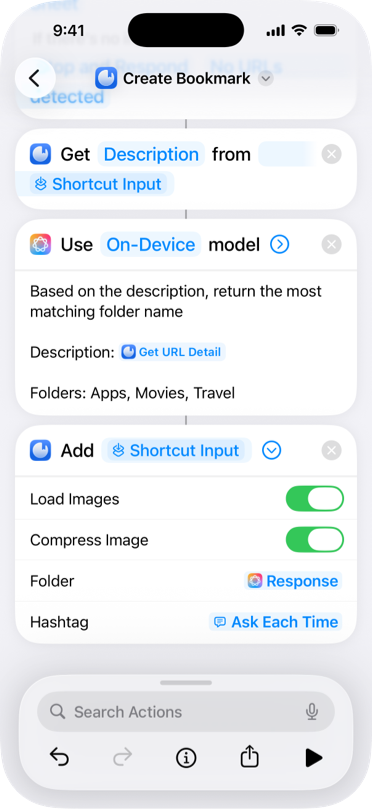
Screenshot of Shortcuts app. Uses "Get description from url," "Use on-device model" with prompt "Based on the description, return the most matching folder name," and Add bookmark with folder specified the result of "Use Model" action.
Automate with Shortcuts

iPad

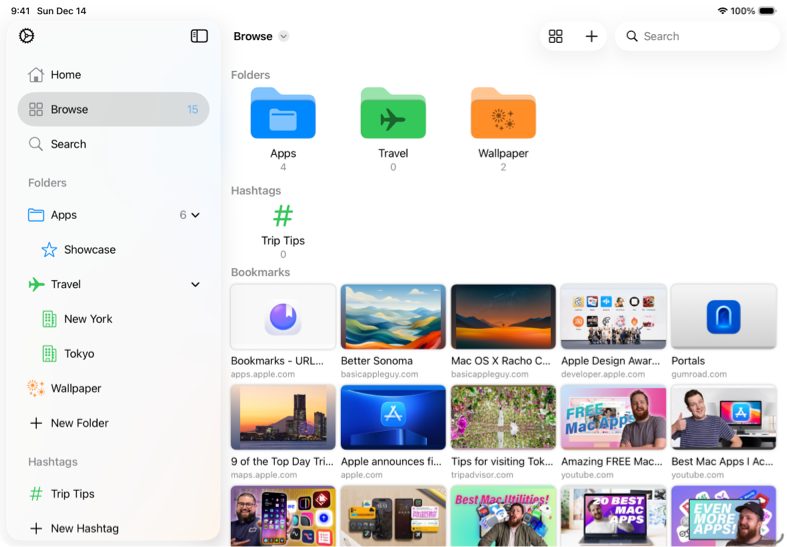
iPad view with a sidebar of folders and a main grid of bookmarks.
Bookmark links
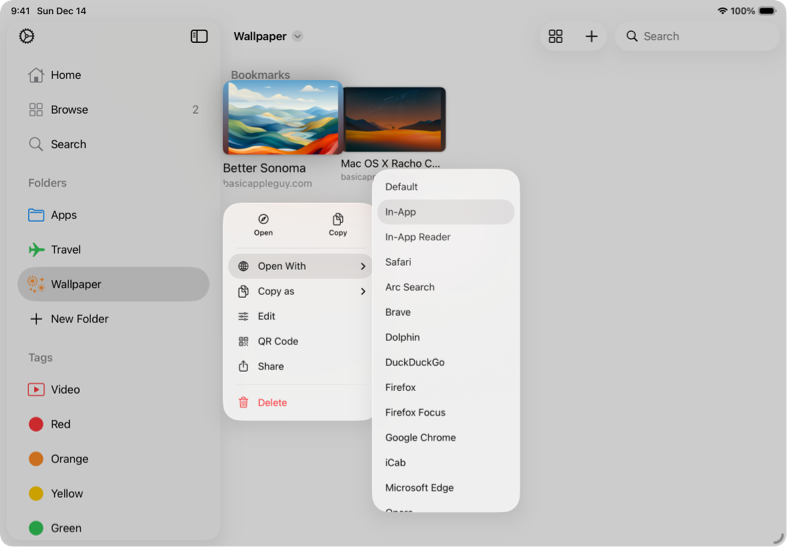
Context menu for a bookmark highliting "Open With", with a list of browsers on the right.
Open With your app of choice
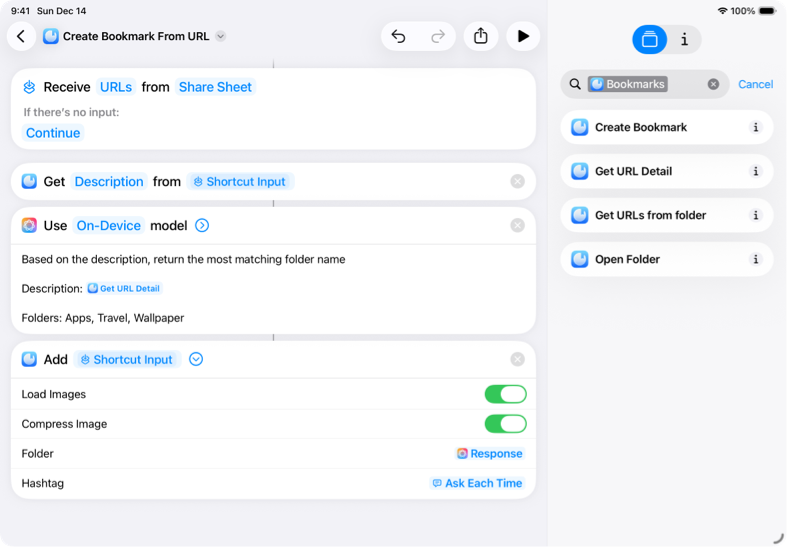
Screenshot of Shortcuts app. Uses "Get description from url," "Use on-device model" with prompt "Based on the description, return the most matching folder name," and Add bookmark with folder specified the result of "Use Model" action.
Automate with Shortcuts

Mac

Mac app window showing folders and a multi-column bookmark list for desktop organization.
Bookmark and easily manage links
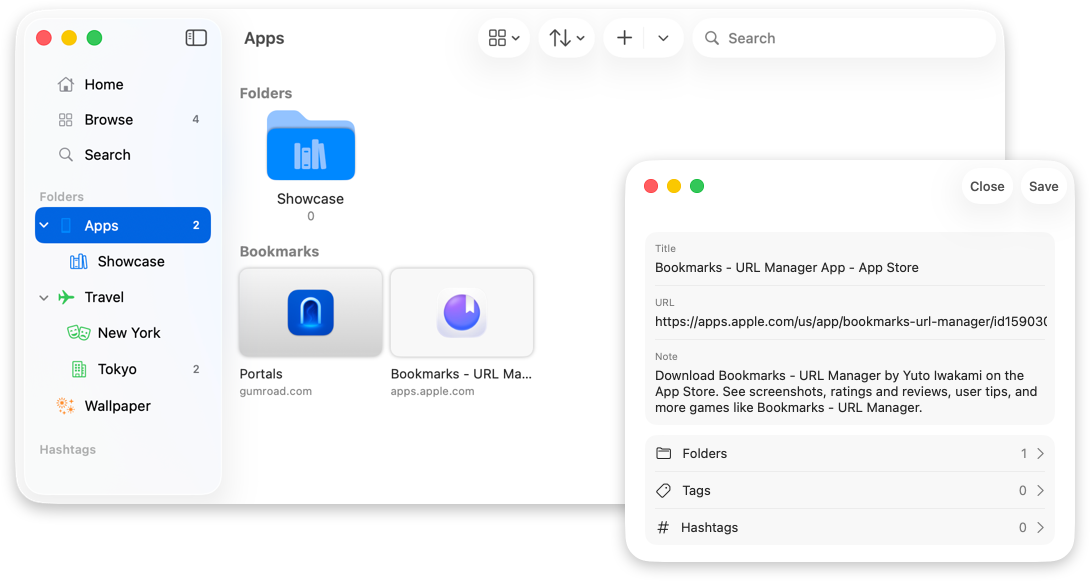
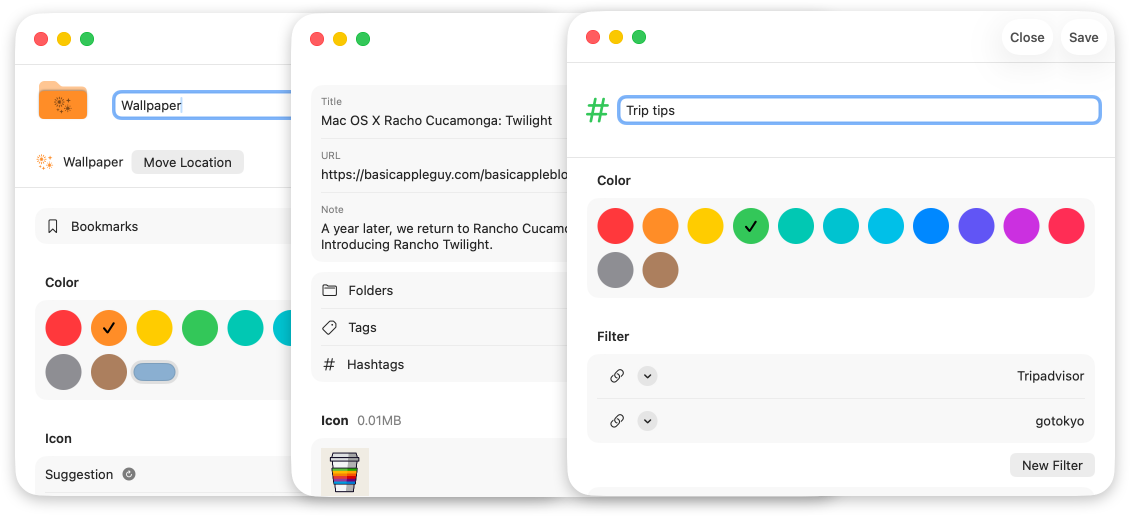
Three windows overlapping horizontally. Each are for folder editng, creating a bookmark, and creating a hashtag.
Organize with folders, tags, hashtags, and pins
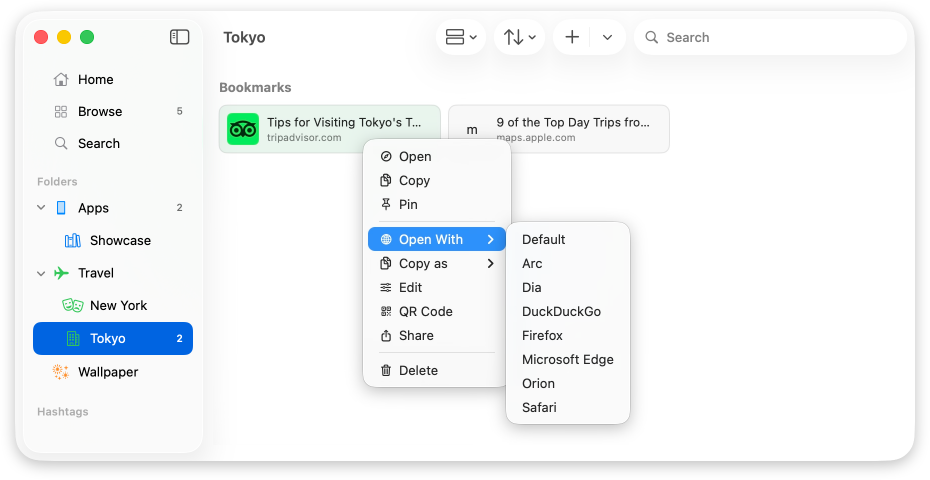
Context menu on Mac to open a selected bookmark with a chosen browser or app.
Open With your app of choice
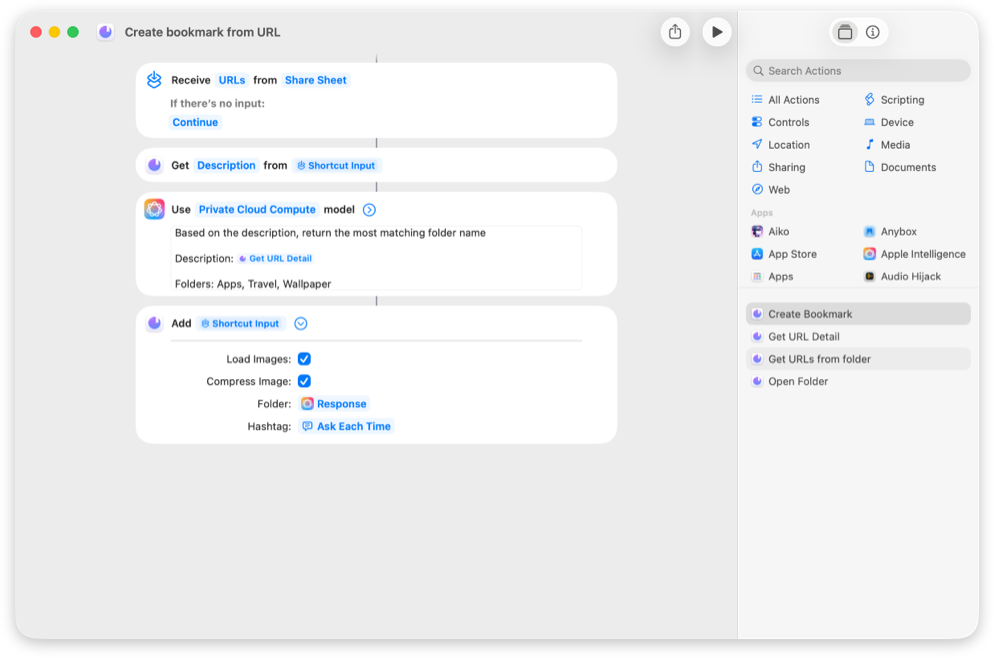
Screenshot of Shortcuts app. Uses "Get description from url," "Use on-device model" with prompt "Based on the description, return the most matching folder name," and Add bookmark with folder specified the result of "Use Model" action.
Automate with Shortcuts

Features

What it does
  • Easily create bookmarks

    Create bookmarks just by copying and pasting a url. Bookmarks will load info like title and thumbnail automatically.

  • Flexible Organization

    Group links with folders, nested folders, tags, hashtags, and pins.

  • Open With

    Open your bookmark with the browser or app of your choice.

  • iCloud Sync

    Keep your bookmarks in sync across iPhone, iPad, Mac, and Apple Vision.

  • Automation Ready

    Use Shortcuts to open and manage saved links with custom workflows.

  • Apple Intelligence

    Get suggestion for folder's icon and bookmark's title. Also suggestions for folder and hashtag when creating a bookmark.

Bookmarks Pro

In-app purchase

More ways to organize and make it yours. Five extras included with Pro.

  • Pin

    Pin bookmarks, folders, and hashtags at the top of your collection.

  • Nested Folders

    Create folders inside folders to organize your bookmarks with more precision.

  • Hashtags

    Add custom hashtags and create filters for faster access to specific bookmarks.

  • Alternate Icons

    Unlock extra exclusive app icons.

  • Universal Purchase

    Share Bookmarks Pro across all your Apple devices and with your Family Sharing group.

Accessibility & privacy

Accessibility

  • VoiceOver
  • Voice Control
  • Larger Text
  • Dark Interface
  • Differentiate Without Color Alone
  • Sufficient Contrast

App privacy

Data Not Collected

Privacy policy